Design
Display
Units
Speed is worked out on your device and never uploaded. The map loads tiles for your area from OpenStreetMap and Esri.
Trips are saved in this browser when you press Reset.
No saved trips yet.
How to Measure Trip Distance With GPS
- 1. Start at the beginning of your trip
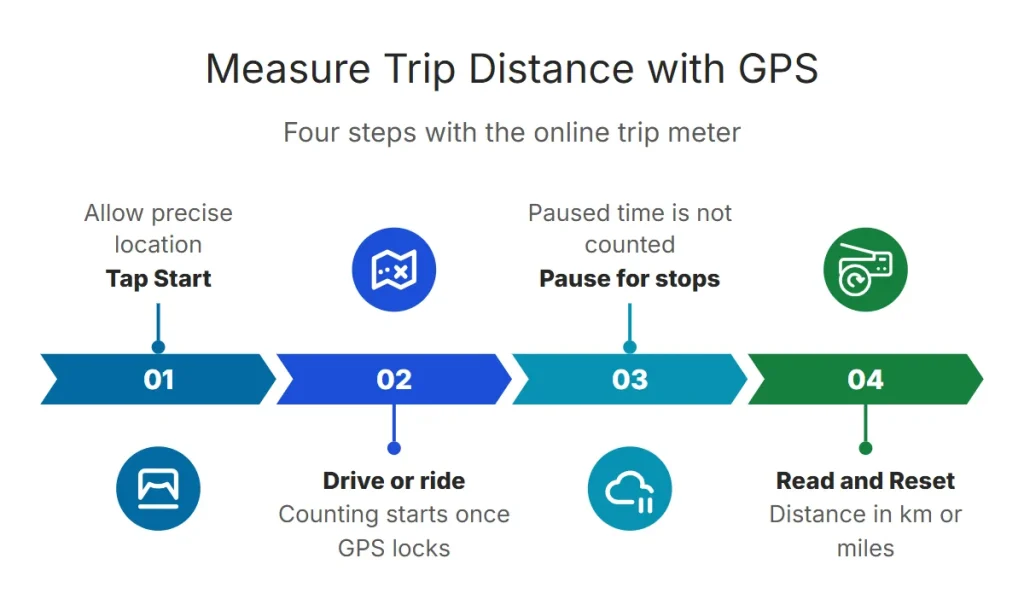
Tap Start and allow precise location. The trip clock and odometer begin counting once GPS has a fix.
- 2. Keep the screen on
Browsers pause GPS when the screen locks or you switch apps. Keep this page open and the screen on — a car or bike mount helps. Installing it as an app gives a full-screen view.
- 3. Read distance and Reset
The odometer shows distance in km (with km/h selected) or miles (with mph selected). Use Pause for stops you don’t want counted.
How Accurate Is a GPS Odometer?
The tool ignores tiny movements while you are stationary to avoid adding drift. For the most reliable figure, compare against a known distance such as highway kilometer markers.
Want to check your car’s odometer? Drive a measured distance with both running. If the car’s figure is consistently higher or lower, tire size is the usual cause — see the speedometer accuracy check.
Uses for an Online Trip Meter
- Cars without a working odometer: track distance until the cluster is repaired.
- Cycling: ride distance without a bike computer — see the bike odometer.
- Running and walking: distance plus pace — running speed.
- Boats: distance covered in a session, with the unit set to knots.
- Mileage logs: note the trip distance for expense claims (keep your own record; the tool stores nothing).
Frequently Asked Questions
Can my phone be used as an odometer?
Yes. GPS measures the distance between successive positions. Keep this page open with the screen on during the trip.
Does it work without mobile data?
Yes, once the page is loaded. GPS is received from satellites and doesn’t use data.
How do I switch between km and miles?
Choose KM/H for kilometers or MPH for miles under the gauge; the odometer follows.
Is my route saved?
No. Distance is calculated in your browser and nothing is sent to our servers.