Design
Display
Units
Speed is worked out on your device and never uploaded. The map loads tiles for your area from OpenStreetMap and Esri.
Trips are saved in this browser when you press Reset.
No saved trips yet.
Prefer a real app? Download the free Speedometer app for Android (APK, 4.2 MB, no ads).
Traditional app store speedometers are often bloated with ads, background location trackers, and battery-draining analytics SDKs. Our browser-based web app solves this.
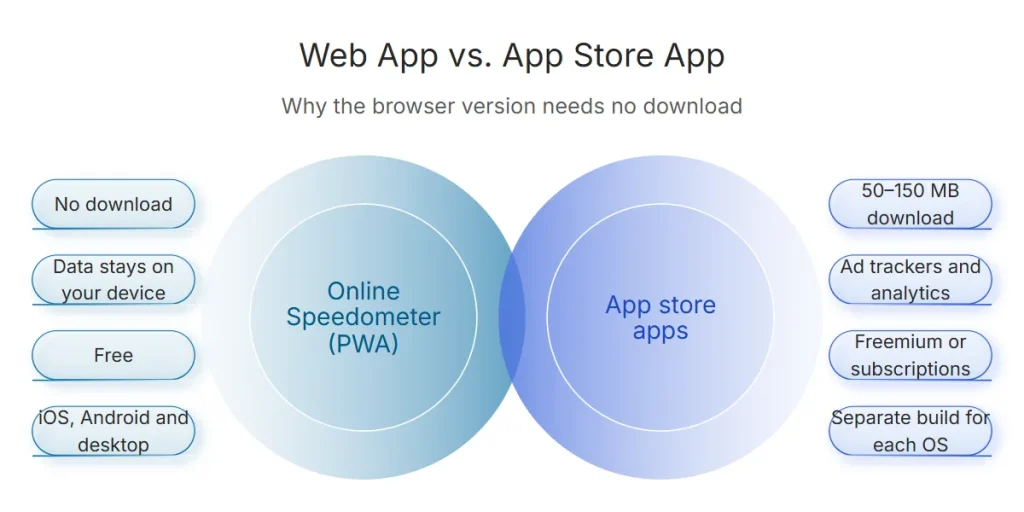
Web App vs Native App Comparison
| Feature | Online Speedometer (Web PWA) | App Store Download Apps |
|---|---|---|
| Installation Required | Zero (Instant browser load) | 50MB – 150MB App download |
| Privacy & Tracking | 100% Local (Zero data sent to servers) | Ad trackers, IDFA, third-party analytics |
| Cost & Subscriptions | 100% Free Forever | Freemium / Weekly subscriptions |
| Cross-Platform | Works on iOS, Android, macOS, Windows | Separate OS builds required |
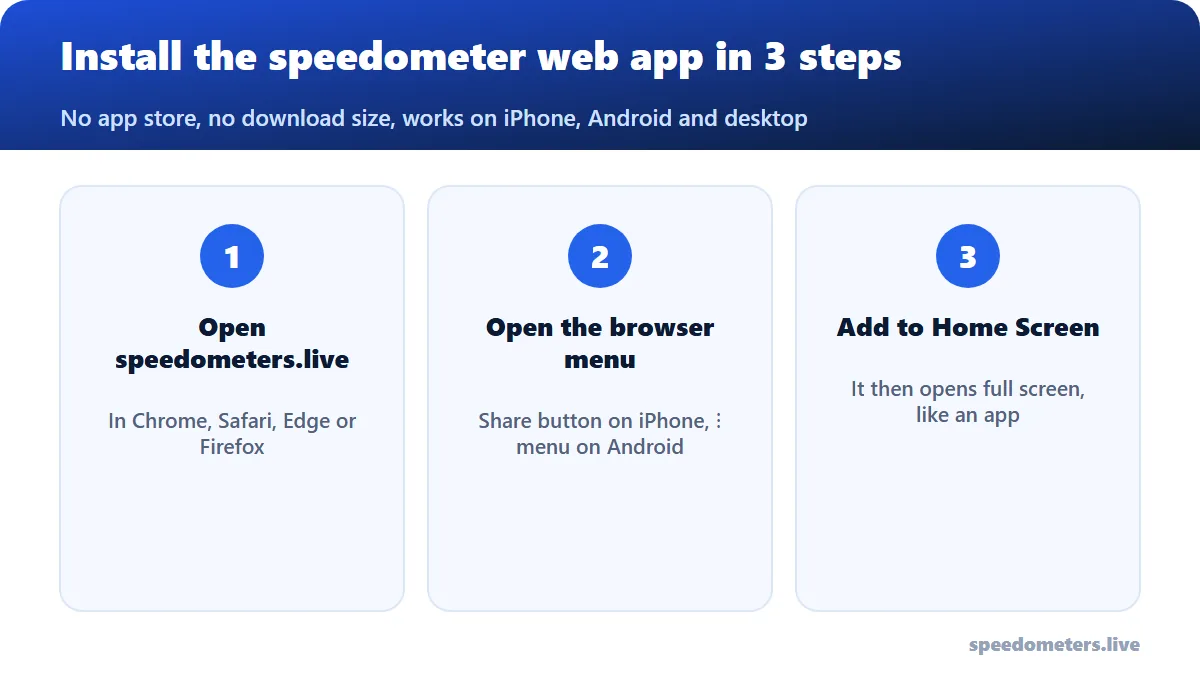
How to Add to Your Phone Home Screen
- iOS Safari: Tap the Share button (square with arrow) → Select “Add to Home Screen”.
- Android Chrome: Tap the three-dot menu → Select “Install App” or “Add to Home screen”.
Install-free PWA: use it like a native app
This speedometer app is a progressive web app (PWA): it runs in your mobile browser, works with GPS, and can be added to your home screen for full-screen use without an app-store download. Your trip data stays on your device.
Key features
- Live GPS speed with large, glanceable digits
- HUD (heads-up display) mode for night driving
- Trip stats: distance, duration, top speed
- Works wherever your phone gets a GPS signal; no account needed
Supported platforms
Works in modern mobile browsers on Android and iOS. Add it to your home screen from the browser menu for an app-like experience.